The 7 Fastest HEIC to JPG Online Converters (2026 Ranking)
Every HEIC to JPG converter promises to be fast. Almost none of them measure what "fast" actually means for you: the time between opening the page and having a JPG on your disk. That time is mostly not spent converting. It is spent clicking through options, waiting for ad heavy pages to load, configuring output settings you never asked for, and hunting for the real download button.
So we ranked 7 popular online converters the way a user experiences them: from first click to finished JPG.
The fastest tool we tested is heicjpg.online: it is the only converter in this list where conversion starts automatically the moment your photo is uploaded. Zero settings, zero convert buttons, zero ads. A typical iPhone photo is ready as a JPG about a second after the upload finishes.
How we ranked them
Speed is more than server horsepower, so each tool was scored on the full journey:
- Clicks to JPG: how many actions stand between "page loaded" and "JPG downloaded". Every extra click is a tax.
- Auto start: does conversion begin by itself after upload, or do you have to find and press a convert button?
- Page weight and ads: ad slots, promo banners and heavy scripts slow the page down before you even upload.
- Batch handling: can you drop several photos at once and grab one ZIP?
- Friction: accounts, size caps, premium nags and link expiry that gets in your way.
The ranking at a glance
| # | Converter | Starts automatically | Ads / promos | Signup needed | Files kept |
|---|---|---|---|---|---|
| 1 | heicjpg.online | Yes, on upload | None | No | 30 days, auto delete |
| 2 | heictojpg.com | Yes, on upload | Desktop app promo | No | Deleted after conversion |
| 3 | heic.online | No, configure + click | Partner software promos | No | About 1 hour |
| 4 | iloveimg.com | No, click Convert | Premium upsell | Optional (Premium) | Short term |
| 5 | freeconvert.com | No, click Convert | Ads on free tier | Optional | About 8 hours |
| 6 | convertio.co | No, click Convert | Premium upsell | Pushed for bigger files | Up to 24 hours |
| 7 | cloudconvert.com | No, click Convert | Credit system | For most use | Up to 24 hours |
How many clicks stand between you and a finished JPG? We counted every interaction for a single photo, from landing on each page to the moment the download starts:
1. heicjpg.online Fastest overall
heicjpg.online, the fastest HEIC to JPG online converter
This is the only tool in the ranking with a true zero click pipeline: you drop a photo and the conversion has already started. There is no settings panel, no quality slider, no convert button and no ad network waiting to load. A typical iPhone photo converts in about a second, at full resolution and quality 92, with EXIF data and orientation preserved. Batches download as a single ZIP, and links stay alive for 30 days in case you need the files on another device.
- Conversion starts automatically on upload
- No ads, no trackers, no cookies
- Full resolution, EXIF preserved
- ZIP download for batches, links valid 30 days
- No quality or resize settings
- Batch size tuned for everyday use, not hundreds of files
heicjpg.online is our own tool, so take the #1 spot with that in mind and test it yourself: the whole point of an auto starting converter is that the test costs you five seconds. The rest of this ranking is an honest look at good alternatives and where they cost you time.
2. heictojpg.com
heictojpg.com, minimalist and quick
Powered by JPEGmini, this is the closest competitor in spirit: a clean page where conversion also kicks off right after upload, with a generous allowance of up to 200 images. Files are deleted right after conversion, which is great for privacy but means links do not survive if you want to download them again later. The page steadily promotes JPEGmini's paid desktop apps, and there are no output options at all.
- Auto conversion after upload
- Up to 200 images free
- Constant desktop app promo
- No second download, files vanish immediately
3. heic.online
heic.online, the most options, not the most speed
heic.online is the feature champion: up to 100 files per batch, output to JPEG, PNG or BMP, quality control, resizing, DPI settings and EXIF removal. The flip side is exactly those features: you configure, then press convert, then wait. Download links expire after about an hour, and the page cross promotes partner desktop software (DocuFreezer, Print Conductor). A strong pick when you need PNG output or EXIF stripping; not the quickest route to a plain JPG.
- Up to 100 files per batch
- PNG/BMP output, resize, EXIF removal
- Manual configure and convert flow
- Links expire after about an hour
4. iloveimg.com
iLoveIMG, polished but click heavy
The image sibling of iLovePDF is a well built general toolbox, and its HEIC to JPG tool works reliably with batches and cloud import from Google Drive or Dropbox. But it is a classic click to convert flow: upload, press the big CONVERT button, wait, download. Full "High Quality" output sits behind the Premium plan, which is fair for a freemium suite but adds a decision you do not need for a simple format change.
- Reliable, polished interface
- Google Drive and Dropbox import
- Convert button required
- Top quality tied to Premium
5. freeconvert.com
FreeConvert, flexible with a heavier page
FreeConvert handles enormous files and dozens of formats, with advanced options for quality and resizing. The cost is a busier, ad supported page and a multi step flow (upload, convert, wait for the queue, download). If you routinely convert unusual formats it earns a bookmark; for a quick HEIC to JPG job it simply takes longer.
- Large file support and many formats
- Advanced output options
- Ads on the free tier
- Queue and multi step flow
6. convertio.co
Convertio, an all rounder with caps
Convertio converts practically anything to anything, HEIC to JPG included. The free tier is metered at 10 conversion credits per 24 hours, and it nudges you toward an account and a subscription as your needs grow. Conversion itself is fine; the flow, the caps and the upsells put it behind the specialists here.
- Huge format coverage
- Free tier caps and account nudges
- Click to convert flow
7. cloudconvert.com
CloudConvert, built for developers
CloudConvert is a superb engine with a serious API, sandboxing and per conversion pricing. That is exactly why it is last in a consumer speed ranking: the free allowance is 10 conversions per day, most workflows expect an account, and the interface is built for configuring jobs, not for dragging in three vacation photos. Wonderful product, wrong tool for this job.
- Excellent API and automation
- Transparent about infrastructure
- Account expected, daily free cap
- Overkill for casual conversion
Here is the auto start advantage in three numbers:
Where the time goes: your upload
Once the extra clicks are gone, the one step no converter can skip is sending your photo to its server, and that depends on your upload speed, which is usually far slower than your download speed. A 12 megapixel photo from an older iPhone is about 2 MB as HEIC; the 24 megapixel photos that iPhone 15 and later models take by default are about 3 to 4 MB.
| What you upload | Size | At 5 Mbps | At 20 Mbps | At 100 Mbps |
|---|---|---|---|---|
| One 12 MP photo | about 2 MB | about 3 s | under 1 s | under 0.2 s |
| One 24 MP photo | about 3.5 MB | about 6 s | about 1.5 s | under 0.3 s |
| Batch of 20 recent iPhone photos | about 70 MB | about 2 min | about 30 s | about 6 s |
Upload time is simply the file size in megabits divided by your upload speed: 5 Mbps is a weak mobile or hotel connection, 20 Mbps a typical 4G or home line, 100 Mbps fiber or good 5G. Real transfers add a little overhead on top.
Two things follow from those numbers. On a slow connection the upload dominates, but the clicks, settings and ad loading described above still come on top, because they happen before the upload even starts. And for a big batch on mobile data, moving to a faster network saves more time than switching converters. On heicjpg.online the conversion itself adds about a second per photo, and the JPG you download is roughly twice the size of the HEIC, which most connections download faster than the original took to upload.
Why auto start wins on speed
Every converter in this list finishes the actual HEVC decode in a second or two on modern servers. The race is decided before the conversion even starts. A configure and convert flow costs you three to six interactions per batch; an ad supported page can spend longer loading its ad slots than converting your photo. An auto starting, single purpose page removes all of it, which is why the top two spots both belong to tools that begin converting the moment the upload lands.
Converting a whole batch? Select all the photos at once in your file picker (or drag them together). Good converters process them in sequence and hand you one ZIP instead of five separate downloads.
Frequently asked questions
What is the fastest way to convert HEIC to JPG?
An online converter that starts converting on upload, with no convert button and no queue. On a typical connection a single iPhone photo is done in one to two seconds, which beats installing software for anything under a few dozen files.
Are online HEIC to JPG converters safe?
The good ones are. Look for HTTPS, a stated deletion window, no account requirement and no watermark. heicjpg.online deletes files after 30 days, stores IP addresses only as hashes and never uses uploads for anything else.
Which converter is best for large batches?
For hundreds of files a desktop tool wins: Finder Quick Actions or Preview on a Mac, XnConvert or PowerToys Image Resizer on Windows, or ImageMagick on the command line. Online tools are best for batches of a few dozen photos, roughly 20 to 100 depending on the service.
Is there a HEIC to JPG converter with no upload limit?
Desktop tools have no limit beyond your disk. Online converters always set one; heicjpg.online allows 60 files of 40 MB each per batch and unlimited batches, which covers everyday needs without an account.
Why is my HEIC to JPG conversion slow?
Almost always because of the upload. A batch of 20 recent iPhone photos is around 70 MB, which takes about two minutes on a weak mobile or hotel connection and a few seconds on fiber. Converters with ads, queues or a manual convert step add their own delay on top. For big batches, use a faster network or convert on the device with Finder on a Mac or PowerToys on Windows.
Test the #1 converter yourself
Drop a photo and watch it convert before you can reach for a convert button. Free, full resolution, no signup.
Convert HEIC to JPG nowRelated articles
 Best HEIC to JPG Converter in 2026: 12 Tools Tested and RankedOnline, desktop and built in converters compared on quality, speed, limits, privacy and price. One clear winner, and the smarter pick for every other job.
 How to Convert HEIC to JPG (the Easy Way, No Software)Drop a photo, watch it convert automatically, download your JPG. Plus every offline method for Mac, Windows, iPhone and the command line.
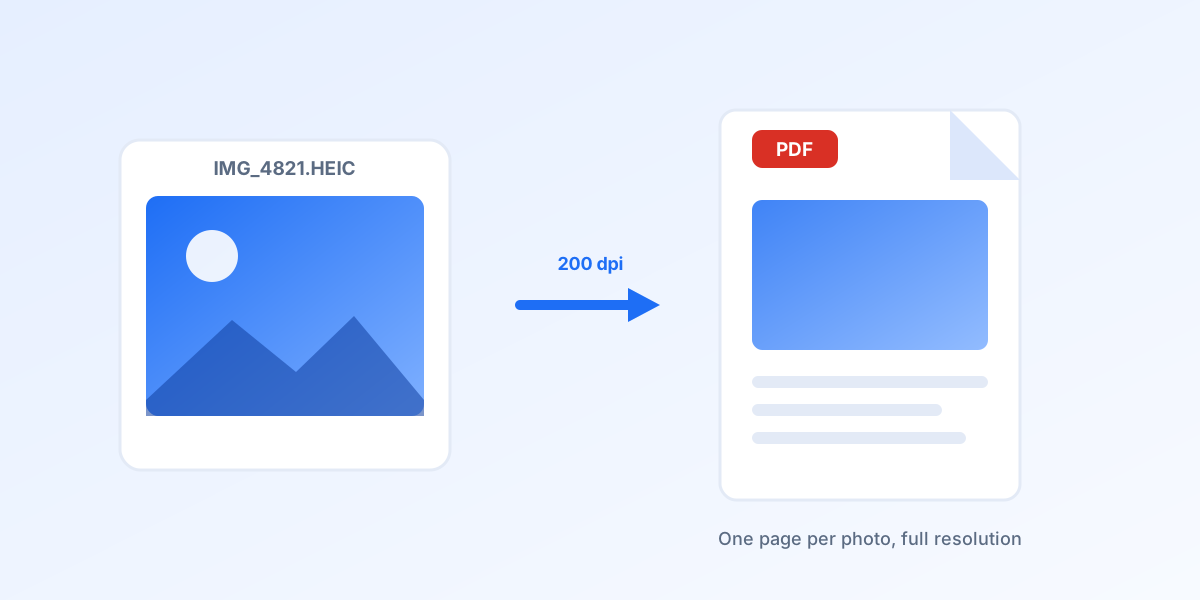 How to Convert HEIC to PDF on iPhone, Mac and WindowsFive free ways to get a PDF out of a HEIC photo: online in any browser, the iPhone Print trick, Finder on a Mac, Microsoft Print to PDF and one ImageMagick command.
 How to Convert Multiple HEIC to JPG at Once (Free, 60 Files per Batch)Drop up to 60 iPhone photos, let the conversion start by itself and download one ZIP. Plus the Mac, Windows and command line options for really big folders.
 How to Convert HEIC to JPG on Windows 10 and 11: 7 Free WaysSeven free routes that work in 2026: an online converter with nothing to install, Photos, Paint, PowerToys for whole folders, a right click tool, ImageMagick, and the iPhone setting that stops the problem at the source.