HEIC Viewer: How to Open and View HEIC Files on Windows 11, 10, Mac and Android
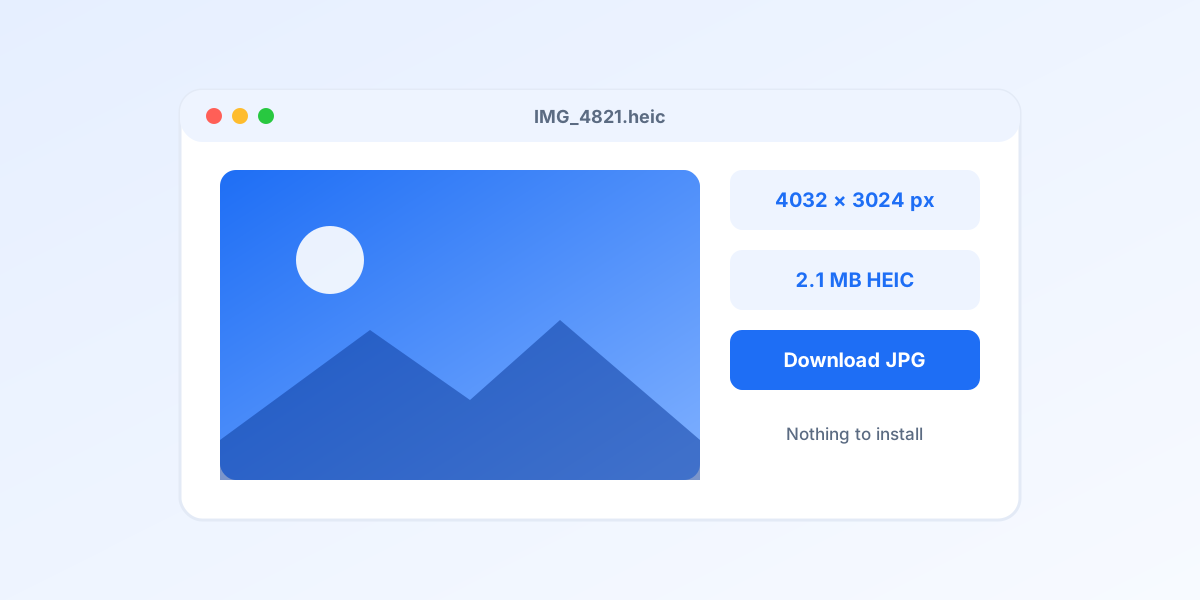
A photo arrives from an iPhone, the file ends in .heic, and the thumbnail is a grey box. That is the moment most people search for a HEIC viewer. The good news is that the format is not exotic any more: Windows 11, macOS, Android 10 and newer all have some support built in, several free desktop viewers handle it well, and if none of that is available you can open the photo in a browser tab in about a second. This guide ranks the options, explains the Windows codec situation that causes most of the confusion, and shows the exact steps for Windows 11 and 10.
To look at a HEIC file right now on any device, drop it on the online HEIC viewer: nothing to install, full size preview, optional JPG download. On Windows, install HEIF Image Extensions plus the HEVC codec from the Microsoft Store and the Photos app takes over; if the codec is paid on your PC, CopyTrans HEIC or IrfanView with the plugins pack do the same for free. Macs and Android 10 or newer open HEIC out of the box.
Why you need a HEIC viewer at all
HEIC is a HEIF container with HEVC compressed pictures inside, the format every iPhone has used by default since iOS 11 in 2017. HEVC is patent licensed, so operating systems and browsers do not include the decoder unless someone pays for it. Apple pays, which is why iPhones and Macs never have the problem. Microsoft split the support into two Store extensions and left the codec paid on many PCs. Browser makers never adopted it at all, so Chrome, Edge and Firefox download a HEIC instead of showing it. Android added a decoder in version 9 and made it reliable in 10.
So a "HEIC viewer" is really any piece of software that brings its own HEVC decoder or reuses the one the operating system has. That is the lens for the ranking below: what does each option need, what does it cost, and where does it run. If you want the format itself explained, read what is a HEIC file.
The ranking at a glance
| # | Viewer | Best for | Price | Runs on |
|---|---|---|---|---|
| 1 | heicjpg.online HEIC viewer | Best overall: no install, any device | Online, free | Windows, Mac, Android, Chromebook, Linux, any browser |
| 2 | Windows Photos with the HEIF Image Extensions | Best built in option on Windows 11 and 10 | Free (HEVC codec $0.99 on some PCs) | Windows 11, Windows 10 version 1803 and newer |
| 3 | CopyTrans HEIC for Windows | Best for File Explorer thumbnails and Office | Free for personal use | Windows 11, 10, 8, 7 |
| 4 | IrfanView with the plugins pack | Best lightweight desktop viewer | Free | Windows |
| 5 | XnView MP | Best cross platform viewer and organiser | Free for personal use | Windows, Mac, Linux |
| 6 | Preview, Quick Look and Photos on a Mac | Best on macOS, already installed | Free | macOS High Sierra and newer |
| 7 | Google Photos and Samsung Gallery on Android | Best on Android 10 and newer | Free | Android 10 and newer (partial on Android 9) |
| 8 | GIMP and image viewers on Linux | Best on Linux | Free, open source | Linux, also Windows and Mac |
The viewers, one by one
1. heicjpg.online HEIC viewer Best overall
Open the HEIC viewer, drop up to 20 files and each one appears full size in about a second, with its resolution and file size underneath. Click a preview to see it full screen. It runs entirely in the browser tab, so it works on a locked down office PC, a Chromebook, a Linux laptop or an Android phone with no codec, no app and no account. If a photo has to go somewhere that only takes JPG, every preview has a Download JPG button and the whole batch can be saved as one ZIP.
Limits: 20 photos of up to 40 MB per batch, and you need an internet connection. Files are stored behind unguessable links and deleted after 30 days. For a folder of a thousand photos an installed viewer below is faster; for the five photos someone just sent you, nothing beats it.
2. Windows Photos with the HEIF Image Extensions Best built in option on Windows 11 and 10
Microsoft ships HEIC support as two Microsoft Store add ons. HEIF Image Extensions is free and comes preinstalled on most Windows 11 machines. HEVC Video Extensions is the codec that actually decodes the picture; PC makers such as Dell, HP and Lenovo license it for free on many devices ("from Device Manufacturer"), otherwise it costs $0.99. With both installed, HEIC files open in Photos, show thumbnails in File Explorer and can be pasted into Word or Outlook.
How to set it up: open the Microsoft Store, search for HEIF Image Extensions and install it, then search for HEVC Video Extensions from Device Manufacturer and try that first; if the Store refuses it, buy the $0.99 version. Restart Photos. If a HEIC still shows a broken thumbnail, right click it, choose Open with, then Photos. Paint and legacy apps that use the old Windows Photo Viewer still cannot open the file; for those, convert to JPG.
3. CopyTrans HEIC for Windows Best for File Explorer thumbnails and Office
CopyTrans HEIC is a small codec pack that makes HEIC behave like JPG on Windows: thumbnails in File Explorer, opening in the classic Windows Photo Viewer, insertion into Word, PowerPoint and Outlook, and a right click menu entry "Convert to JPEG with CopyTrans". It does not need the Store codecs and it works on Windows 7 and 8, which is why it is the usual recommendation for older office machines.
Downsides: it is a Windows only installer, commercial use requires a paid licence, and it does not add support to modern apps such as Paint. Install it, restart File Explorer, and existing HEIC files will show previews within a few seconds.
4. IrfanView with the plugins pack Best lightweight desktop viewer
IrfanView has been the fastest image viewer on Windows for decades and opens HEIC once the separate plugins package is installed (it brings the libheif decoder). It reads the photo, shows EXIF data, lets you rotate losslessly, batch rename and batch convert whole folders to JPG with File, then Batch Conversion. The interface looks dated, but for browsing a folder of 2,000 iPhone photos with the arrow keys nothing is quicker.
Install IrfanView first, then the plugins installer for the same bit version (64 bit for almost everyone), then associate .heic with IrfanView in Options, Properties, Extensions.
5. XnView MP Best cross platform viewer and organiser
XnView MP opens HEIC natively on all three desktop platforms with no extra download, shows a folder as a thumbnail grid, and includes rating, tagging, comparison and a very capable batch converter. It is the closest thing to a free Lightroom style browser that understands HEIC, HEIF and the .hif files that Canon, Sony and Fujifilm cameras write.
Choose it when the same person has to look at HEIC files on a Windows PC at work and a Mac at home, or when you want the same tool to sort, rate and export in one place.
6. Preview, Quick Look and Photos on a Mac Best on macOS, already installed
Every Mac since macOS High Sierra (2017) opens HEIC natively. Select a file in Finder and press the space bar for Quick Look, double click for Preview, or import into Photos. Preview also exports to JPG, PNG or PDF through File, then Export, and can do that for several files at once when they are opened together. Nothing to install and nothing to configure.
The only Mac problem is the file leaving the Mac: a HEIC attached to an email or uploaded to a website often fails on the other side. Set Settings, Photos, Transfer to Mac or PC to Automatic on the iPhone, or use the converter, and that problem disappears too.
7. Google Photos and Samsung Gallery on Android Best on Android 10 and newer
Android gained a HEIF decoder in version 9 and reliable support in version 10, so on a phone from 2019 or later Google Photos, Samsung Gallery and the Files app simply show HEIC pictures received from iPhone users. Google Photos can also share a HEIC as JPG. On older phones and in many chat or email apps the file still appears as a grey box; the online viewer above is the quickest workaround there, because Chrome on Android runs it fine.
The device by device details, including the Samsung setting that makes a Galaxy shoot HEIC itself, are in how to change HEIC to JPG on Android.
8. GIMP and image viewers on Linux Best on Linux
GIMP 2.10.2 and newer opens HEIC and can export JPG or PNG; on most distributions the libheif plugin is installed with the package. Eye of GNOME, gThumb and other GTK viewers pick up HEIC once the heif pixbuf loader (package names such as heif-gdk-pixbuf or libheif-gdk-pixbuf) is installed. From the terminal, ImageMagick and the heif-convert tool from libheif examples convert a whole folder in one command, which is covered in how to convert HEIC to JPG.
How to open a HEIC file in Windows 11 step by step
- Check whether it already works. Double click the HEIC. On many Windows 11 PCs the Photos app opens it straight away, because the HEIF Image Extensions are preinstalled and the manufacturer licensed the HEVC codec.
- Install HEIF Image Extensions. Open the Microsoft Store, search for HEIF Image Extensions (publisher Microsoft) and click Get. It is free.
- Install the HEVC codec. Search the Store for HEVC Video Extensions from Device Manufacturer and try to install it; if the Store says it is not available for your device, install HEVC Video Extensions for $0.99 instead. This is the part that actually decodes the picture.
- Open the file in Photos. Right click the HEIC, choose Open with, then Photos. Thumbnails in File Explorer appear after a few seconds. If you need the picture in Paint, a web form or an older program, convert it: Photos can save a copy as JPG through the menu, or use the HEIC to JPG converter.
Windows 10 works the same way from version 1803 onwards; older builds cannot install the extensions and need CopyTrans HEIC or an online viewer. The full Windows guide, including PowerToys and Paint, is in how to convert HEIC to JPG on Windows 10 and 11.
Which viewer should you use?
| Your situation | Use this |
|---|---|
| A few photos someone just sent, any device | The online viewer, no install |
| Windows 11 or 10 PC you control | Photos with the two Store extensions |
| Work PC where the codec is paid or blocked | CopyTrans HEIC or IrfanView with plugins |
| Thousands of photos to browse and sort | XnView MP or IrfanView |
| Mac | Quick Look, Preview or Photos, already there |
| Android 10 or newer | Google Photos or Samsung Gallery |
| Older Android or a Chromebook | The online viewer in Chrome |
| Linux | GIMP, XnView MP or a GTK viewer with the heif loader |
When to convert instead of viewing
Viewing solves the problem on your screen; it does not solve it on anyone else's. The moment a HEIC has to be uploaded to a website, attached to a form, inserted into an old presentation or printed at a copy shop, the receiving side needs JPG, and no viewer changes that. Every option above can export a JPG, and the HEIC to JPG converter does it for 20 photos at once with the EXIF data and full resolution intact. For lossless output there is HEIC to PNG, and for portals that accept documents only, HEIC to PDF.
If the same problem keeps coming back from your own iPhone, the setting Settings, Camera, Formats, Most Compatible makes it shoot JPG from now on; why are my photos HEIC instead of JPG explains the trade off.
Frequently asked questions
What is the best free HEIC viewer for Windows 11?
For a quick look, the online viewer at heicjpg.online, because it needs no install and works on any PC. For everyday use, the built in Photos app once HEIF Image Extensions and the HEVC codec are installed from the Microsoft Store. If the codec is paid on your PC, CopyTrans HEIC or IrfanView with the plugins pack add support for free.
How do I open a HEIC file in Windows 10?
Install HEIF Image Extensions and HEVC Video Extensions from the Microsoft Store (Windows 10 version 1803 or newer), then open the file in Photos. If you cannot install anything, open the file in a browser through an online HEIC viewer, or convert it to JPG.
Can Chrome or Edge open HEIC files?
No. As of 2026 Safari is the only major browser that renders HEIC natively; Chrome, Edge and Firefox download the file instead of showing it. An online viewer works in those browsers because it sends the browser a JPEG preview of the HEIC.
Is there a HEIC viewer for Android?
On Android 10 and newer Google Photos and Samsung Gallery open HEIC files without any app. On older versions use the online viewer in Chrome, or ask the sender to switch the iPhone camera to Most Compatible so future photos arrive as JPG.
Can I view HEIC files without converting them?
Yes, with any viewer on this list. Note that an online viewer technically decodes the HEIC into a JPEG preview for your browser, but your original file is never changed and nothing is downloaded unless you ask for the JPG.
Why do my HEIC files show a broken thumbnail?
The app drawing the thumbnail has no HEVC decoder. On Windows that means the HEVC Video Extensions are missing; on Android it means the phone runs a version older than 10. Installing the decoder, or converting the photos to JPG, fixes both.
Got a HEIC that will not open?
Drop it on the online viewer and see it full size in a second. Free, nothing to install, files deleted automatically after 30 days.
Open the HEIC viewerRelated articles
 How to Open HEIC Files on Any DeviceiPhone, Windows 10 and 11, Android, Mac and Linux: what opens HEIC natively, what needs an extension, and the universal fix when nothing works.
 How to Convert HEIC to JPG on Windows 10 and 11: 7 Free WaysSeven free routes that work in 2026: an online converter with nothing to install, Photos, Paint, PowerToys for whole folders, a right click tool, ImageMagick, and the iPhone setting that stops the problem at the source.
 How to Convert HEIC to JPG on Mac (5 Free Ways, No Apps)Your Mac already has everything it needs: a two click Finder action, Preview, Photos, and a one line Terminal command for hundreds of files. Plus the online route when the Mac is not yours.
 The 7 Fastest HEIC to JPG Online Converters (2026 Ranking)We tested 7 popular tools and ranked them by real speed: clicks needed, auto start, ads and limits. See which converter wastes the least of your time.
 HEIC vs PNG: Key Differences Explained (With Table)Two formats built for completely different jobs. When lossless PNG makes sense, when HEIC wins, and where JPG fits between them.