How to Convert HEIC to PDF on iPhone, Mac, Windows and Android
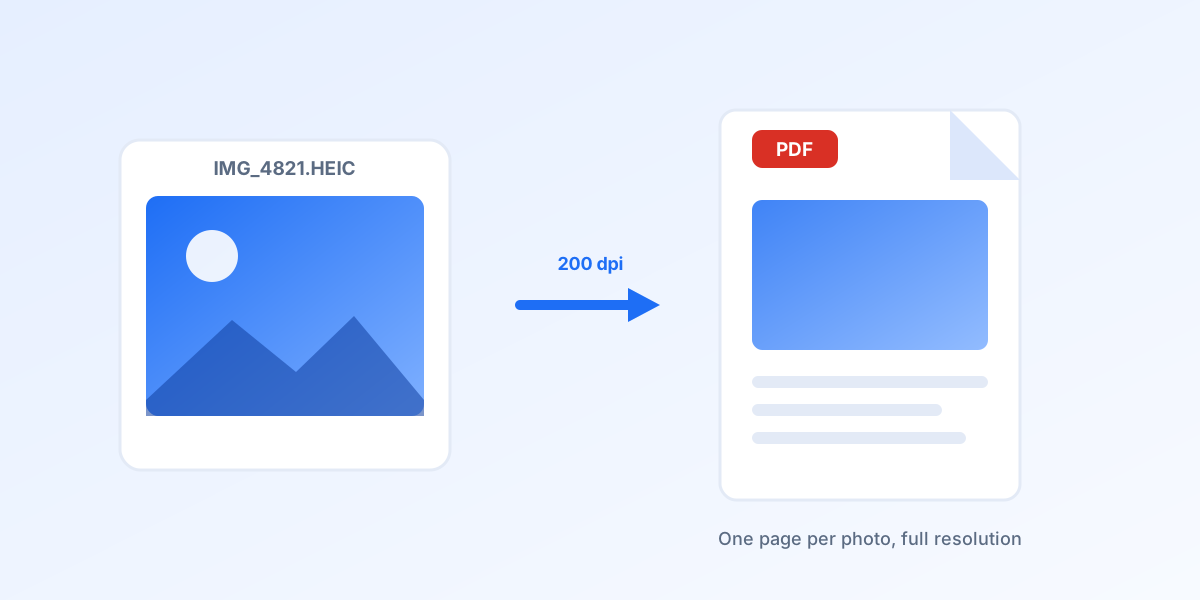
A HEIC photo is fine until it has to be submitted somewhere. Insurance claims, expense reports, visa applications, school portals and most government forms accept PDF and nothing else, and a file ending in .heic is usually rejected before a human ever sees it. Turning the photo into a PDF takes seconds and needs no paid software. This guide covers five free routes: an online converter that runs in any browser, the Print trick on an iPhone, Finder and Preview on a Mac, Microsoft Print to PDF on Windows, and a single command for whole folders.
Fastest route on any device: open the HEIC to PDF converter, drop up to 20 photos and download a PDF for each one, or the whole batch as a ZIP. On an iPhone: open the photo, tap Share, tap Print, then share the preview and choose Save to Files. On a Mac: select the files in Finder, right click, choose Quick Actions and then Create PDF, which merges them into one document. On Windows 10 or 11: select the photos, right click, choose Print and pick Microsoft Print to PDF as the printer.
Why turn a HEIC into a PDF
HEIC is the format every iPhone has used by default since iOS 11 in 2017. It is a HEIF container holding a picture compressed with HEVC, and it stores roughly the same photo in about half the space of a JPEG. The catch is licensing: HEVC is patent encumbered, so Windows, Android and every browser except Safari either need an extra codec or refuse the file outright. Upload forms inherit that problem, which is why so many of them list PDF, JPG and PNG and quietly drop everything else. If you want the format itself explained, read what is a HEIC file.
PDF sidesteps all of it. A PDF opens on any device made in the last twenty years without a plugin, keeps the page layout intact, can hold several photos as separate pages, and can be signed, stamped or annotated by the person receiving it. That is why a receipt, an ID photo, a damaged parcel or a handwritten form is almost always wanted as a PDF rather than as a picture. When the destination does accept images, converting HEIC to JPG gives a smaller file, so check the form before you decide.
The methods at a glance
| # | Method | Best for | Cost | Runs on |
|---|---|---|---|---|
| 1 | heicjpg.online HEIC to PDF | No install, works on anything | Free | Any browser, any device |
| 2 | The Print trick on an iPhone | Photos already on the phone | Free | iOS 13 and newer |
| 3 | Finder Create PDF and Preview | Merging many photos into one PDF | Free | macOS Mojave and newer |
| 4 | Microsoft Print to PDF | A Windows PC with the HEIF extension | Free, codec may cost $0.99 | Windows 10 and 11 |
| 5 | Print to PDF in Google Photos | Photos on an Android phone | Free | Android 10 and newer |
| 6 | ImageMagick in a terminal | Hundreds of files, scripting | Free, open source | Windows, Mac, Linux |
| 7 | Adobe Acrobat online | People already paying for Acrobat | Free trial, then paid | Any browser |
Convert HEIC to PDF online, on any device
- Open the converter. Go to the HEIC to PDF page. It runs in Chrome, Safari, Edge and Firefox, on a phone, a tablet, a Chromebook or a locked down office PC. There is nothing to install and no account to create.
- Add your photos. Drag the HEIC files onto the drop area, or tap it and pick them from the file picker. Up to 20 files per batch, 40 MB each. HEIF and HIF files written by Samsung, Canon, Sony, Nikon and Fujifilm cameras work as well.
- Let it convert. Each photo is decoded on the server and written into a PDF page at full resolution, embedded as JPEG at quality 92 with the page sized to the photo at 200 dpi. A 12 megapixel iPhone photo takes about a second.
- Download. Every result gets its own Download PDF button, and the whole batch can be saved at once as a ZIP. Files sit behind unguessable links and are deleted from the server automatically after 30 days.
One detail worth knowing before you start: the converter writes one PDF per photo, so ten photos give you ten single page PDFs inside the ZIP. If everything has to sit inside one document, use the Mac or Windows routes below, which merge while they print, or merge the finished pages afterwards. The same engine also produces JPG and PNG if the form turns out to accept images.
How to convert HEIC to PDF on an iPhone
An iPhone can make a PDF out of any photo without installing anything, because the print preview in iOS is already a PDF. The trick is getting at it.
- Select the photos. Open Photos, tap Select, and tap every picture you want in the document. Tap the Share button in the bottom left corner. The same works from the Files app if the HEIC arrived as an attachment.
- Tap Print. Scroll the share sheet down to Print. You do not need a printer and none has to be connected. The preview that appears is generated as a PDF.
- Open the preview. On iOS 13 and 14, pinch outwards on the small page preview to open it full screen. On iOS 15 and newer the print preview has its own Share button in the top right corner, so you can skip the pinch.
- Save to Files. Tap Share, choose Save to Files, pick a folder such as iCloud Drive or On My iPhone, and tap Save. Every photo you selected in step one becomes a page in the same PDF.
Newer versions of iOS shorten this further: long press a HEIC in the Files app, tap Quick Actions and choose Create PDF, and the PDF appears next to the original. Both routes keep the full resolution of the photo and neither needs an app from the App Store.
If your own phone keeps producing HEIC files that other people cannot open, Settings, Camera, Formats, Most Compatible switches the camera to JPG from now on. Why are my photos HEIC instead of JPG explains what you give up by doing that, and how to convert HEIC to JPG on an iPhone covers the photos you already took.
How to convert HEIC to PDF on a Mac
Every Mac since macOS High Sierra opens HEIC natively, so there is no codec to install and two routes to choose from.
Finder, the fastest way. Select the HEIC files in Finder, right click the selection, choose Quick Actions and then Create PDF. A PDF appears in the same folder within a second, with one photo per page and the pages in the order the files are sorted on screen. Sort the folder by name or date before you select, because that order is what the PDF inherits. This has been in macOS since Mojave.
Preview, when you want control. Open the photo in Preview, choose File, then Export as PDF, and you get a single page document. For several photos, select them all in Finder and press return to open them in one Preview window, then use File, Print, and choose Save as PDF from the PDF menu in the bottom left corner of the print dialog. Preview also lets you rotate, crop or drop a page before you export, which Finder does not.
For a folder you process every week, Automator can wrap the same step into a droplet: New Quick Action, add the New PDF from Images action, save it, and it becomes a right click entry of your own. The full set of Mac tricks for the JPG side of this is in how to convert HEIC to JPG on a Mac.
How to convert HEIC to PDF on Windows 10 and 11
Windows 10 and 11 ship with a virtual printer called Microsoft Print to PDF, and it turns any printable file into a PDF. The problem is upstream: Windows has to be able to open the HEIC first, and out of the box many PCs cannot.
Install the two extensions. Open the Microsoft Store and install HEIF Image Extensions, published by Microsoft, which is free. Then search for HEVC Video Extensions from Device Manufacturer, which many Dell, HP and Lenovo machines get for free; if the Store refuses it for your device, the paid HEVC Video Extensions costs $0.99. That second one is the part that actually decodes the picture.
Print the photos. Select the HEIC files in File Explorer, right click, and choose Print. In the dialog pick Microsoft Print to PDF as the printer, set the layout on the right to Full page photo, set Fit picture to frame if you do not want white borders, then click Print and give the file a name. Several selected photos become several pages in one PDF, in the order File Explorer shows them.
If the Print dialog shows a blank preview or an error, the codec is missing and no amount of retrying will help. Either install the extensions above, or skip Windows entirely and use the online converter, which decodes the file on the server so your PC never needs the codec. More Windows detail lives in how to convert HEIC to JPG on Windows 10 and 11 and how to open HEIC files.
How to convert HEIC to PDF on Android
Android decodes HEIC from version 10 onwards, and the print system can save to PDF, so the two combine into a workable route. Open the photo in Google Photos, tap the three dot menu, choose Print, then pick Save as PDF from the printer list at the top and tap the round download button. Files by Google and Samsung Gallery offer the same thing through their own share menus.
On Android 9 and older, or in a chat app that has no decoder, the photo shows as a grey box and printing fails. Chrome still works though, so the online converter is the reliable answer there. The wider picture is in how to change HEIC to JPG on Android.
Whole folders: one command in a terminal
For a folder with hundreds of photos, one command beats any interface. ImageMagick built with libheif reads HEIC directly:
magick IMG_4821.heic receipt.pdf
To put a whole folder into a single document, in the order the shell sorts the names:
magick *.heic album.pdf
Add -quality 92 -density 200 to match what the online converter does. On Linux, if your ImageMagick build has no HEIC support, install libheif and its examples, then chain heif-convert photo.heic photo.jpg with img2pdf. On Windows the same commands work in PowerShell once ImageMagick is installed, and on a Mac they work after brew install imagemagick libheif. Check your build with magick -list format | grep -i heic before blaming the command.
Quality, page size and file size
| Source photo | Typical HEIC size | PDF from the converter |
|---|---|---|
| 12 megapixel iPhone photo, 4032 by 3024 px | about 1.8 MB | about 2.5 MB, page 20.2 by 15.1 in |
| 48 megapixel iPhone photo, 8064 by 6048 px | about 4.5 MB | about 7 MB, page 40.3 by 30.2 in |
| Photo of a document or a receipt | about 0.6 MB | about 0.9 MB |
Quality. PDF has no way to store a HEVC picture, so every method on this page decodes the photo and re encodes it as JPEG inside the document. That includes Apple and Microsoft, not just online tools. Our converter uses JPEG quality 92 at the original pixel dimensions, which is visually lossless for a photograph; you would need to zoom to 200 percent on a flat sky to see any difference. Nothing is downscaled and no watermark is added.
Page size. The page is sized as pixels divided by 200 dpi, so a 12 megapixel photo becomes a page about 20 by 15 inches. That looks odd in a page count but it is the right behaviour: PDF viewers scale to fit the window and printers scale to the paper, so the document still prints correctly on A4 or Letter. If a portal insists on exact A4, open the PDF and print it again to a PDF printer with A4 selected.
File size. Expect the PDF to be slightly larger than the HEIC, because HEIC compresses better than the JPEG inside the PDF. If a form caps uploads at 2 MB and your PDF lands above it, convert to JPG first at a smaller size and print that, or re save the PDF through a compressor.
Which method should you use
| Your situation | Use this |
|---|---|
| One photo, on a phone, right now | The Print trick on iPhone, or the online converter in any browser |
| A work PC where you cannot install anything | The online converter, the decoding happens on the server |
| Several photos that must land in one document | Finder Create PDF on a Mac, or Print on Windows and Android |
| A whole folder, or the same job every week | ImageMagick in a terminal |
| A form with a strict size limit | Convert to JPG first, then print that to PDF |
| The form accepts images after all | Convert to JPG or PNG instead |
Frequently asked questions
Can I convert HEIC to PDF for free?
Yes. Every method in this guide is free. The online converter is free with no account and no watermark, iPhones, Macs and Android phones do it with software that is already installed, and ImageMagick is open source. The only thing that can cost money is the HEVC codec on some Windows PCs, at $0.99 in the Microsoft Store, and even that is avoidable by converting in a browser.
How do I convert a HEIC to PDF on an iPhone without an app?
Open the photo, tap Share, scroll down to Print, open the print preview full screen by pinching outwards or by tapping its own Share button, then choose Save to Files. No printer is needed and no app has to be installed. On recent versions of iOS you can also long press the file in the Files app and choose Quick Actions, then Create PDF.
How do I put several HEIC photos into one PDF?
Select all of them before you start. On a Mac, right click the selection in Finder and choose Quick Actions, then Create PDF. On Windows, select them in File Explorer, right click, choose Print and pick Microsoft Print to PDF. On an iPhone, tap Select in Photos and pick them all before tapping Share and Print. Our online converter writes one PDF per photo, so merge afterwards if you use it.
Does converting HEIC to PDF reduce quality?
Very slightly, and only once. PDF cannot store a HEVC picture, so the photo is re encoded as JPEG inside the document by every tool that does this, Apple and Microsoft included. At quality 92 and full resolution the difference is invisible at normal viewing sizes. What does lose quality is converting the same photo back and forth several times, so keep the original HEIC.
Why does Windows refuse to print my HEIC file?
Because the PC has no HEVC decoder. Install HEIF Image Extensions and HEVC Video Extensions from the Microsoft Store, then try again. If your workplace blocks the Store, use the online converter instead: the file is decoded on the server, so your PC never needs the codec.
Is it safe to convert HEIC to PDF online?
On this site, yes. There is no account, no tracking and no advertising. Uploads and results sit behind unguessable links, they are never listed anywhere, and they are deleted from the server automatically after 30 days. For confidential documents the offline routes on this page keep the file on your own machine, which is always the stronger option.
Need that photo as a PDF right now?
Drop up to 20 HEIC files and get a PDF for each one, full resolution, free, no account. Files are deleted after 30 days.
Convert HEIC to PDFRelated articles
 How to Convert HEIC to JPG (the Easy Way, No Software)Drop a photo, watch it convert automatically, download your JPG. Plus every offline method for Mac, Windows, iPhone and the command line.
 How to Open HEIC Files on Any DeviceiPhone, Windows 10 and 11, Android, Mac and Linux: what opens HEIC natively, what needs an extension, and the universal fix when nothing works.
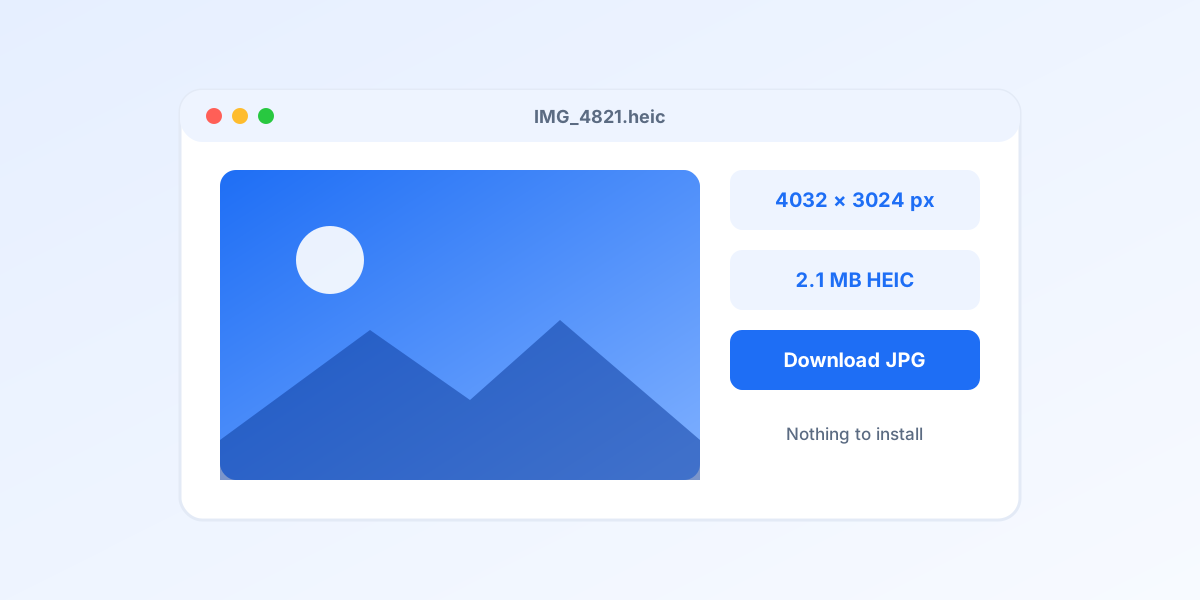 HEIC Viewer: How to Open and View HEIC Files on Windows 11, 10, Mac and AndroidEight viewers ranked, the two Microsoft Store extensions explained step by step, and an online viewer for when you cannot install anything.
 How to Convert HEIC to JPG on Windows 10 and 11: 7 Free WaysSeven free routes that work in 2026: an online converter with nothing to install, Photos, Paint, PowerToys for whole folders, a right click tool, ImageMagick, and the iPhone setting that stops the problem at the source.
 How to Change HEIC to JPG on Android: 7 Free Methods Ranked (2026)From the browser method that needs no app, through Google Photos, Samsung Gallery and Snapseed, to fixing the problem at the sender's iPhone. Ranked by speed and hassle.