The HEIC Blog
Plain English guides about the HEIC format: what it is, who created it, where it works, how it compares to JPG and PNG, and the fastest ways to convert it.
Short answers, before you read anything else
Convert and open HEIC photos
Step by step guides for the device in front of you, from a single browser tab to Finder, PowerToys and the command line.
 PDF guide
How to Convert HEIC to PDF on iPhone, Mac and Windows
Five free ways to get a PDF out of a HEIC photo: online in any browser, the iPhone Print trick, Finder on a Mac, Microsoft Print to PDF and one ImageMagick command.
Read the guide → Viewer guide
HEIC Viewer: How to Open and View HEIC Files on Windows 11, 10, Mac and Android
Eight viewers ranked, the two Microsoft Store extensions explained step by step, and an online viewer for when you cannot install anything.
Read the guide → How to
How to Convert HEIC to JPG (the Easy Way, No Software)
Drop a photo, watch it convert automatically, download your JPG. Plus every offline method for Mac, Windows, iPhone and the command line.
Learn how → iPhone guide
HEIC to JPG on iPhone: 6 Ways to Convert Your Photos (No App Needed)
Convert in Safari with no app, use the four tricks built into iOS, or flip the setting that makes the camera shoot JPG. Exact taps for each.
See the methods → Android guide
How to Change HEIC to JPG on Android: 7 Free Methods Ranked (2026)
From the browser method that needs no app, through Google Photos, Samsung Gallery and Snapseed, to fixing the problem at the sender's iPhone. Ranked by speed and hassle.
See the ranking → How to
How to Convert HEIC to JPG on Windows 10 and 11: 7 Free Ways
Seven free routes that work in 2026: an online converter with nothing to install, Photos, Paint, PowerToys for whole folders, a right click tool, ImageMagick, and the iPhone setting that stops the problem at the source.
Learn how → Mac guide
How to Convert HEIC to JPG on Mac (5 Free Ways, No Apps)
Your Mac already has everything it needs: a two click Finder action, Preview, Photos, and a one line Terminal command for hundreds of files. Plus the online route when the Mac is not yours.
Learn how → Batch guide
How to Convert Multiple HEIC to JPG at Once (Free, 60 Files per Batch)
Drop up to 60 iPhone photos, let the conversion start by itself and download one ZIP. Plus the Mac, Windows and command line options for really big folders.
Read the guide → How to
How to Open HEIC Files on Any Device
iPhone, Windows 10 and 11, Android, Mac and Linux: what opens HEIC natively, what needs an extension, and the universal fix when nothing works.
Learn how →Compare formats and tools
What you gain and lose next to JPG and PNG, whether the conversion is worth doing at all, and how the popular converters behave once you actually time them.
 Comparison
HEIC vs JPG: What Is the Difference? (Comparison Table)
Size, quality, color depth, compatibility and metadata, side by side. Which format wins for storing, and which for sharing.
Compare formats → Comparison
HEIC vs PNG: Key Differences Explained (With Table)
Two formats built for completely different jobs. When lossless PNG makes sense, when HEIC wins, and where JPG fits between them.
Compare formats → Advice
Should I Convert HEIC to JPG? Pros, Cons and When It Matters
An honest look at both sides: where JPG's universal compatibility wins, what you give up leaving HEIC, and the workflow that gets you both.
Read the verdict → Ranking
Best HEIC to JPG Converter in 2026: 12 Tools Tested and Ranked
Online, desktop and preinstalled converters compared on quality, speed, limits, privacy and price. One clear winner, and the smarter pick for every other job.
See the ranking → Ranking
The 7 Fastest HEIC to JPG Online Converters (2026 Ranking)
We tested 7 popular tools and ranked them by real speed: clicks needed, automatic start, ads and limits. See which converter wastes the least of your time.
See the ranking →Understand the format
Where HEIC came from, which devices produce it, and why your phone started saving photos this way in the first place.
 Format basics
What Is a HEIC File? Format, History and How It Works
The complete guide to Apple's default photo format: how HEVC compression squeezes photos to half the size, what the container can hold, and why other devices struggle with it.
Read the guide → Quick answer
Why Are My Photos HEIC Instead of JPG?
The short, clear answer: one iPhone camera setting from 2017. Here is what happened, how to switch back to JPG and what to do with existing HEIC photos.
Get the answer →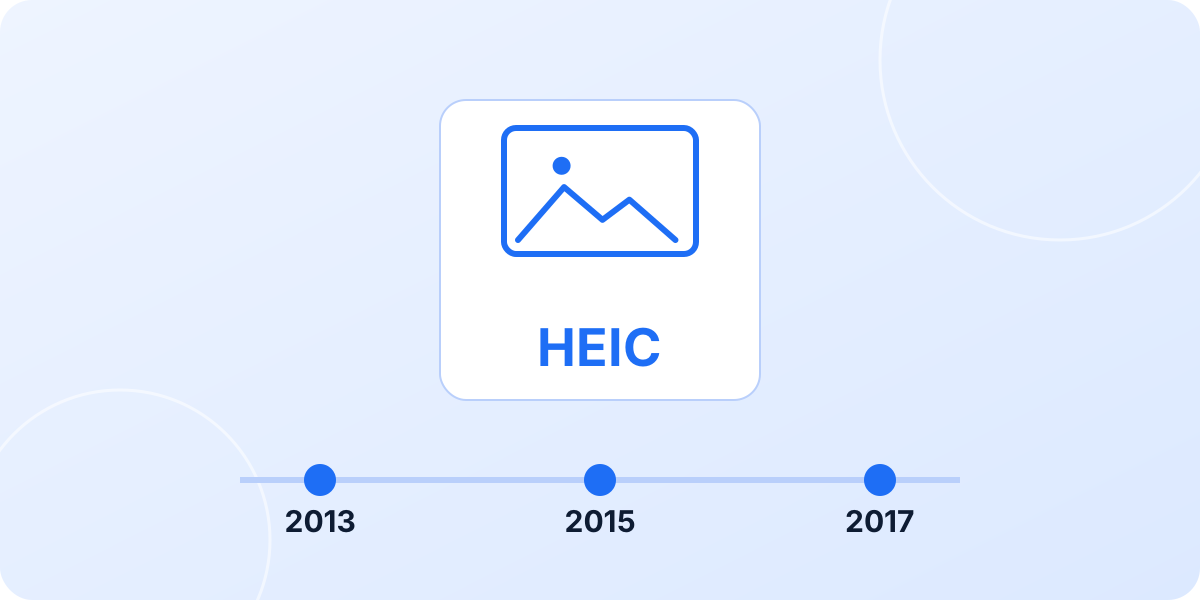 History
Who Created the HEIC File Format? The Full Story
Spoiler: it was not Apple. Meet MPEG, Nokia's reference implementation and the 2013 to 2015 standardization story behind ISO/IEC 23008 Part 12.
Read the story → Ecosystem
Where Is HEIC Used? Devices, Apps and Platforms in 2026
From iPhones and Samsung flagships to Canon, Sony, Nikon and Fujifilm cameras: the full support matrix, plus the places HEIC still fails.
See the matrix →How these guides are written
Every guide names the exact menu path and the software version it applies to, so you can see in seconds whether it still matches the screen in front of you. Facts about the format come from the people who define it, meaning the ISO and MPEG specifications and the documentation published by Apple, Microsoft and Google, rather than from other converter pages.
Rankings include tools that beat ours on individual points, because a comparison that never loses is worth nothing. When a platform changes something, the affected guide is rewritten and the date at the top of that article moves with it.
Found a step that no longer matches what you see? Write to contact@heicjpg.online and it gets checked. Published by the heicjpg.online editorial team.
Updated: September 25, 2026
Need a JPG right now?
Drop your HEIC photos into our converter. Conversion starts automatically, at full resolution, with no signup.
Convert HEIC to JPG